Welcome! You don’t need to be a programmer to save hundreds of hours on your eLearning content. If you can copy and paste, you can use this plugin.
We know the word “JSON” might sound technical, but don’t worry—it’s just a simple text format. We have designed this documentation specifically for educators, instructional designers, and creators.
Here, you will find easy-to-use templates and step-by-step guides to help you automate your interactive videos, quizzes, and presentations in minutes.
Getting started
Install the H5P plugin from WordPress.org. Activate both H5P & H5Automation plugins. Now install the content library that you want to automate. See the screenshot below:
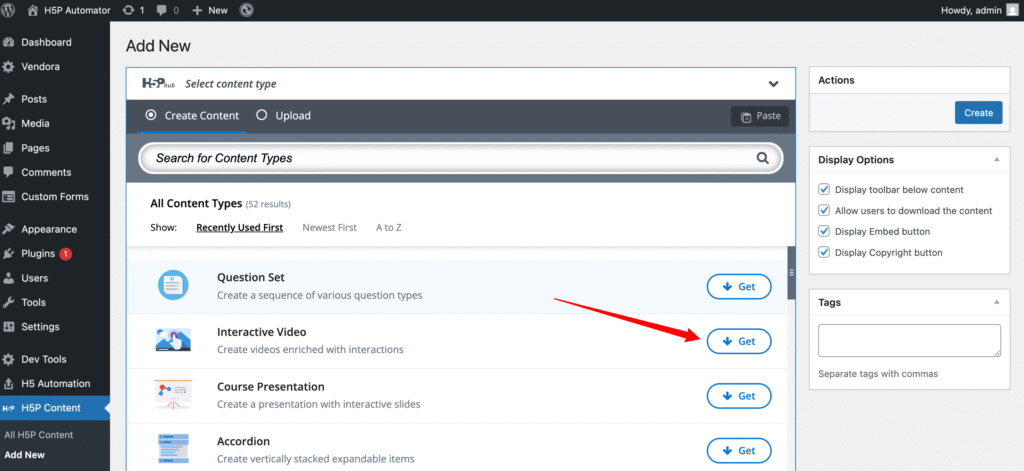
Click the ” Add New “ from H5P. Now, click on the get button, and the content you want to automate. Now install it:
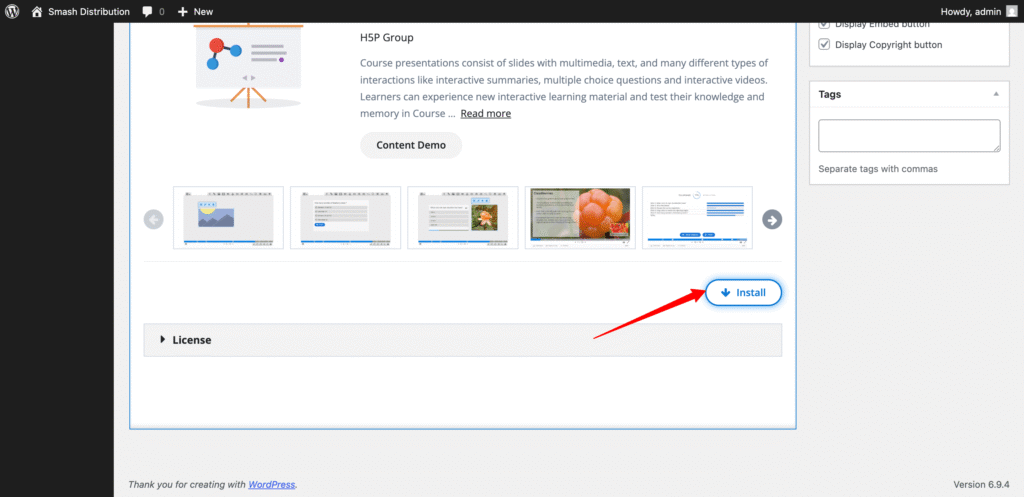
That’s it. If you want to automate content for another content type, repeat the process. You don’t need to do anything here.
Let’s craft the JSON files to bulk import interactive contents
Bulk import H5P interactive video content